注意
点击 这里 下载完整示例代码
音频 I/O
作者: Moto Hira
本教程介绍如何使用 TorchAudio 的基本 I/O API 将音频文件加载到 PyTorch 的 Tensor 对象中,并将 Tensor 对象保存为音频文件。
import torch
import torchaudio

print(torch.__version__)
print(torchaudio.__version__)
2.0.0
2.0.1
准备
首先,我们导入本教程中使用的模块并下载音频资源。
注意
在 Google Colab 中运行本教程时,请使用以下命令安装所需的软件包。
!pip install boto3
import io
import os
import tarfile
import tempfile

import boto3
import matplotlib.pyplot as plt
import requests
from botocore import UNSIGNED
from botocore.config import Config
from IPython.display import Audio
from torchaudio.utils import download_asset

SAMPLE_GSM = download_asset("tutorial-assets/steam-train-whistle-daniel_simon.gsm")
SAMPLE_WAV = download_asset("tutorial-assets/Lab41-SRI-VOiCES-src-sp0307-ch127535-sg0042.wav")
SAMPLE_WAV_8000 = download_asset("tutorial-assets/Lab41-SRI-VOiCES-src-sp0307-ch127535-sg0042-8000hz.wav")
  0%|          | 0.00/7.99k [00:00<?, ?B/s]
100%|##########| 7.99k/7.99k [00:00<00:00, 3.89MB/s]

  0%|          | 0.00/53.2k [00:00<?, ?B/s]
100%|##########| 53.2k/53.2k [00:00<00:00, 30.2MB/s]
查询音频元数据
函数 torchaudio.info() 用于获取音频元数据。
你可以提供一个类似路径的对象或类似文件的对象。
metadata = torchaudio.info(SAMPLE_WAV)
print(metadata)
AudioMetaData(sample_rate=16000, num_frames=54400, num_channels=1, bits_per_sample=16, encoding=PCM_S)
哪里
sample_rate是音频的采样率num_channels是通道数num_frames是每个通道的帧数bits_per_sample是位深度encoding是示例代码格式
encoding 可以取以下值之一:
"PCM_S": 有符号整数线性PCM"PCM_U": 无符号整数线性PCM"PCM_F": 浮点线性PCM"FLAC": Flac, 无损音频编码"ULAW": Mu-law, [维基百科]"ALAW": A-law [wikipedia]"MP3": MP3, MPEG-1 音频第三层"VORBIS": OGG Vorbis [xiph.org]"AMR_NB": 自适应多速率 [维基百科]"AMR_WB": 自适应多速率宽带 [维基百科]"OPUS": Opus [opus-codec.org]"GSM": GSM-FR [维基百科]"HTK": 单声道 16 位 PCM"UNKNOWN"以上都不是
注意
bits_per_sample可以在具有压缩和/或可变比特率的格式(如 MP3)中变为0。num_frames可以是0的 GSM-FR 格式。
metadata = torchaudio.info(SAMPLE_GSM)
print(metadata)
AudioMetaData(sample_rate=8000, num_frames=0, num_channels=1, bits_per_sample=0, encoding=GSM)
查询文件样对象
torchaudio.info() 可以处理类似文件的对象。
/usr/local/envs/python3.8/lib/python3.8/site-packages/torchaudio/backend/sox_io_backend.py:106: UserWarning: File-like object support in sox_io backend is deprecated, and will be removed in v2.1. See https://github.com/pytorch/audio/issues/2950 for the detail.Please migrate to the new dispatcher, or use soundfile backend.
  warnings.warn(_deprecation_message)
AudioMetaData(sample_rate=44100, num_frames=109368, num_channels=2, bits_per_sample=16, encoding=PCM_S)
注意
当传递一个类似文件的对象时,info 并不会读取
所有底层数据;而是仅从开头读取一部分
数据。因此,对于给定的音频格式,可能无法获取正确的元数据,包括格式本身。在这种情况下,你可以传递 format 参数来指定音频的格式。
加载音频数据
要加载音频数据,可以使用 torchaudio.load()。
该函数接受一个类似路径的对象或类似文件的对象作为输入。
返回的值是一个包含波形 (Tensor) 和采样率
(int) 的元组。
默认情况下,生成的张量对象具有 dtype=torch.float32,
其值范围是 [-1.0, 1.0]。
有关支持格式的列表,请参阅torchaudio文档。
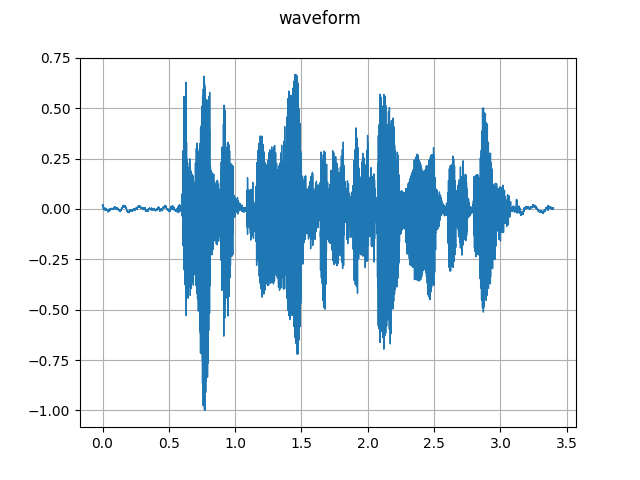
waveform, sample_rate = torchaudio.load(SAMPLE_WAV)
def plot_waveform(waveform, sample_rate):
    waveform = waveform.numpy()

    num_channels, num_frames = waveform.shape
    time_axis = torch.arange(0, num_frames) / sample_rate

    figure, axes = plt.subplots(num_channels, 1)
    if num_channels == 1:
        axes = [axes]
    for c in range(num_channels):
        axes[c].plot(time_axis, waveform[c], linewidth=1)
        axes[c].grid(True)
        if num_channels > 1:
            axes[c].set_ylabel(f"Channel {c+1}")
    figure.suptitle("waveform")
    plt.show(block=False)
plot_waveform(waveform, sample_rate)
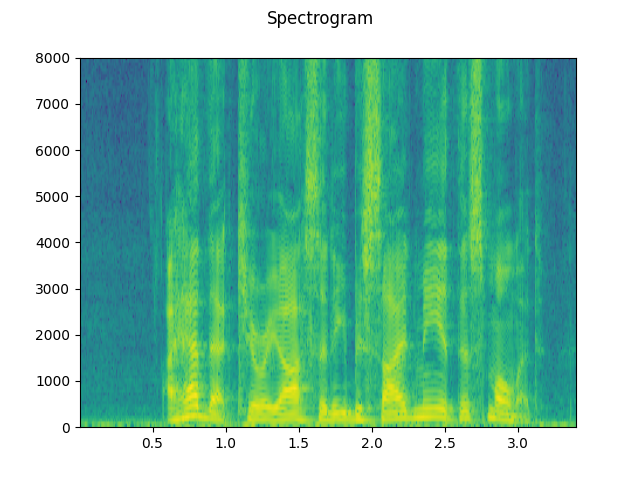
def plot_specgram(waveform, sample_rate, title="Spectrogram"):
    waveform = waveform.numpy()

    num_channels, num_frames = waveform.shape

    figure, axes = plt.subplots(num_channels, 1)
    if num_channels == 1:
        axes = [axes]
    for c in range(num_channels):
        axes[c].specgram(waveform[c], Fs=sample_rate)
        if num_channels > 1:
            axes[c].set_ylabel(f"Channel {c+1}")
    figure.suptitle(title)
    plt.show(block=False)
plot_specgram(waveform, sample_rate)
Audio(waveform.numpy()[0], rate=sample_rate)
从类似文件的对象加载
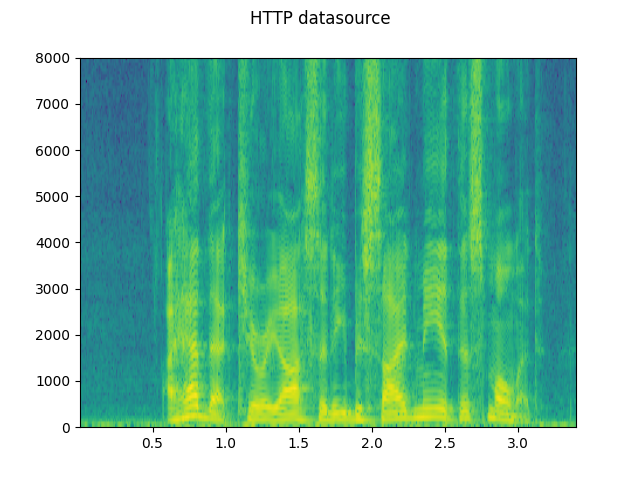
I/O 函数支持文件对象。 这使得可以从本地文件系统内部和外部的位置获取并解码音频数据。 以下示例说明了这一点。
# Load audio data as HTTP request
url = "https://download.pytorch.org/torchaudio/tutorial-assets/Lab41-SRI-VOiCES-src-sp0307-ch127535-sg0042.wav"
with requests.get(url, stream=True) as response:
    waveform, sample_rate = torchaudio.load(response.raw)
plot_specgram(waveform, sample_rate, title="HTTP datasource")
/usr/local/envs/python3.8/lib/python3.8/site-packages/torchaudio/backend/sox_io_backend.py:235: UserWarning: File-like object support in sox_io backend is deprecated, and will be removed in v2.1. See https://github.com/pytorch/audio/issues/2950 for the detail.Please migrate to the new dispatcher, or use soundfile backend.
  warnings.warn(_deprecation_message)
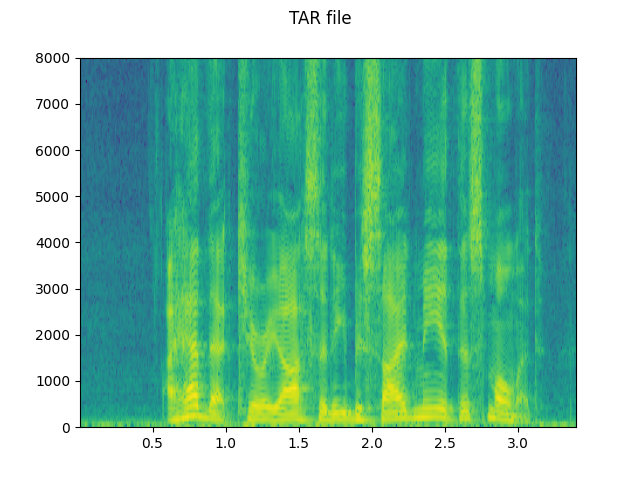
# Load audio from tar file
tar_path = download_asset("tutorial-assets/VOiCES_devkit.tar.gz")
tar_item = "VOiCES_devkit/source-16k/train/sp0307/Lab41-SRI-VOiCES-src-sp0307-ch127535-sg0042.wav"
with tarfile.open(tar_path, mode="r") as tarfile_:
    fileobj = tarfile_.extractfile(tar_item)
    waveform, sample_rate = torchaudio.load(fileobj)
plot_specgram(waveform, sample_rate, title="TAR file")
  0%|          | 0.00/110k [00:00<?, ?B/s]
100%|##########| 110k/110k [00:00<00:00, 46.1MB/s]
/usr/local/envs/python3.8/lib/python3.8/site-packages/torchaudio/backend/sox_io_backend.py:235: UserWarning: File-like object support in sox_io backend is deprecated, and will be removed in v2.1. See https://github.com/pytorch/audio/issues/2950 for the detail.Please migrate to the new dispatcher, or use soundfile backend.
  warnings.warn(_deprecation_message)
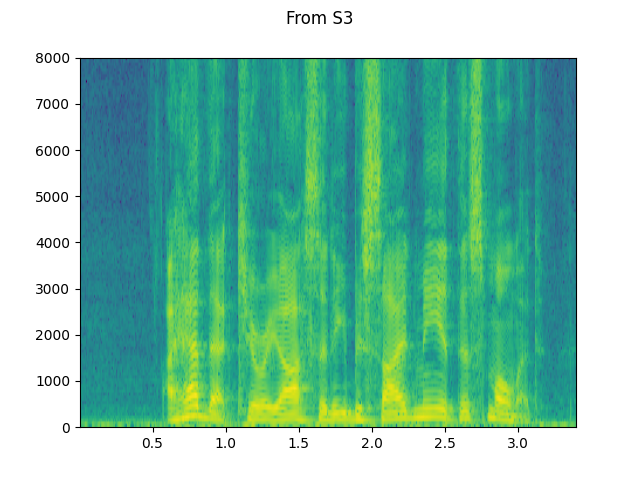
# Load audio from S3
bucket = "pytorch-tutorial-assets"
key = "VOiCES_devkit/source-16k/train/sp0307/Lab41-SRI-VOiCES-src-sp0307-ch127535-sg0042.wav"
client = boto3.client("s3", config=Config(signature_version=UNSIGNED))
response = client.get_object(Bucket=bucket, Key=key)
waveform, sample_rate = torchaudio.load(response["Body"])
plot_specgram(waveform, sample_rate, title="From S3")
/usr/local/envs/python3.8/lib/python3.8/site-packages/torchaudio/backend/sox_io_backend.py:235: UserWarning: File-like object support in sox_io backend is deprecated, and will be removed in v2.1. See https://github.com/pytorch/audio/issues/2950 for the detail.Please migrate to the new dispatcher, or use soundfile backend.
  warnings.warn(_deprecation_message)
切片技巧
提供 num_frames 和 frame_offset 参数会将解码限制在输入的相应段落中。
使用普通的张量切片方法(即 waveform[:, frame_offset:frame_offset+num_frames])也可以达到相同的结果。然而,提供 num_frames 和 frame_offset 参数会更高效。
这是因为该函数在解码完请求的帧后将结束数据采集和解码。这在网络传输音频数据时具有优势,因为一旦获取到所需的数据量,数据传输就会立即停止。
以下示例说明了这一点。
# Illustration of two different decoding methods.
# The first one will fetch all the data and decode them, while
# the second one will stop fetching data once it completes decoding.
# The resulting waveforms are identical.

frame_offset, num_frames = 16000, 16000  # Fetch and decode the 1 - 2 seconds

url = "https://download.pytorch.org/torchaudio/tutorial-assets/Lab41-SRI-VOiCES-src-sp0307-ch127535-sg0042.wav"
print("Fetching all the data...")
with requests.get(url, stream=True) as response:
    waveform1, sample_rate1 = torchaudio.load(response.raw)
    waveform1 = waveform1[:, frame_offset : frame_offset + num_frames]
    print(f" - Fetched {response.raw.tell()} bytes")

print("Fetching until the requested frames are available...")
with requests.get(url, stream=True) as response:
    waveform2, sample_rate2 = torchaudio.load(response.raw, frame_offset=frame_offset, num_frames=num_frames)
    print(f" - Fetched {response.raw.tell()} bytes")

print("Checking the resulting waveform ... ", end="")
assert (waveform1 == waveform2).all()
print("matched!")
Fetching all the data...
/usr/local/envs/python3.8/lib/python3.8/site-packages/torchaudio/backend/sox_io_backend.py:235: UserWarning: File-like object support in sox_io backend is deprecated, and will be removed in v2.1. See https://github.com/pytorch/audio/issues/2950 for the detail.Please migrate to the new dispatcher, or use soundfile backend.
  warnings.warn(_deprecation_message)
 - Fetched 108844 bytes
Fetching until the requested frames are available...
 - Fetched 65580 bytes
Checking the resulting waveform ... matched!
保存音频到文件
要将音频数据保存为常见应用程序可识别的格式,
您可以使用 torchaudio.save()。
该函数接受一个类似路径的对象或类似文件的对象。
当传递一个类似文件的对象时,你也需要提供参数 format
以便函数知道应该使用哪种格式。在
使用类似路径的对象的情况下,函数将从
扩展名推断格式。如果你正在保存到没有扩展名的文件中,你需要
提供参数 format。
当保存WAV格式的数据时,float32 Tensor 的默认编码是 32 位浮点型 PCM。你可以提供参数 encoding 和
bits_per_sample 来更改此行为。例如,要以 16 位有符号整数 PCM 格式保存数据,你可以执行以下操作。
注意
以较低位深度的编码方式保存数据会减小生成的文件大小,但也降低了精度。
waveform, sample_rate = torchaudio.load(SAMPLE_WAV)
def inspect_file(path):
    print("-" * 10)
    print("Source:", path)
    print("-" * 10)
    print(f" - File size: {os.path.getsize(path)} bytes")
    print(f" - {torchaudio.info(path)}")
    print()
不使用任何编码选项保存。 该函数将选择与提供的数据匹配的编码方式。
with tempfile.TemporaryDirectory() as tempdir:
    path = f"{tempdir}/save_example_default.wav"
    torchaudio.save(path, waveform, sample_rate)
    inspect_file(path)
----------
Source: /tmp/tmpbf2pmeol/save_example_default.wav
----------
 - File size: 217658 bytes
 - AudioMetaData(sample_rate=16000, num_frames=54400, num_channels=1, bits_per_sample=32, encoding=PCM_F)
保存为 16 位带符号整数线性 PCM 生成的文件占用一半的存储空间,但会损失精度
with tempfile.TemporaryDirectory() as tempdir:
    path = f"{tempdir}/save_example_PCM_S16.wav"
    torchaudio.save(path, waveform, sample_rate, encoding="PCM_S", bits_per_sample=16)
    inspect_file(path)
----------
Source: /tmp/tmpv9t4ubcg/save_example_PCM_S16.wav
----------
 - File size: 108844 bytes
 - AudioMetaData(sample_rate=16000, num_frames=54400, num_channels=1, bits_per_sample=16, encoding=PCM_S)
torchaudio.save() 也可以处理其他格式。
举几个例子:
formats = [
    "flac",
    "vorbis",
    "sph",
    "amb",
    "amr-nb",
    "gsm",
]
waveform, sample_rate = torchaudio.load(SAMPLE_WAV_8000)
with tempfile.TemporaryDirectory() as tempdir:
    for format in formats:
        path = f"{tempdir}/save_example.{format}"
        torchaudio.save(path, waveform, sample_rate, format=format)
        inspect_file(path)
----------
Source: /tmp/tmpo0xtsgo9/save_example.flac
----------
 - File size: 37141 bytes
 - AudioMetaData(sample_rate=8000, num_frames=27200, num_channels=1, bits_per_sample=24, encoding=FLAC)

----------
Source: /tmp/tmpo0xtsgo9/save_example.vorbis
----------
 - File size: 12588 bytes
 - AudioMetaData(sample_rate=8000, num_frames=27200, num_channels=1, bits_per_sample=0, encoding=VORBIS)

----------
Source: /tmp/tmpo0xtsgo9/save_example.sph
----------
 - File size: 109824 bytes
 - AudioMetaData(sample_rate=8000, num_frames=27200, num_channels=1, bits_per_sample=32, encoding=PCM_S)

----------
Source: /tmp/tmpo0xtsgo9/save_example.amb
----------
 - File size: 108858 bytes
 - AudioMetaData(sample_rate=8000, num_frames=27200, num_channels=1, bits_per_sample=32, encoding=PCM_F)

----------
Source: /tmp/tmpo0xtsgo9/save_example.amr-nb
----------
 - File size: 2008 bytes
 - AudioMetaData(sample_rate=8000, num_frames=27200, num_channels=1, bits_per_sample=0, encoding=AMR_NB)

----------
Source: /tmp/tmpo0xtsgo9/save_example.gsm
----------
 - File size: 5610 bytes
 - AudioMetaData(sample_rate=8000, num_frames=0, num_channels=1, bits_per_sample=0, encoding=GSM)
保存到文件对象
与其它I/O函数类似,你可以将音频保存到文件类似的对象中。当保存到文件类似的对象时,需要参数 format。
waveform, sample_rate = torchaudio.load(SAMPLE_WAV)

# Saving to bytes buffer
buffer_ = io.BytesIO()
torchaudio.save(buffer_, waveform, sample_rate, format="wav")

buffer_.seek(0)
print(buffer_.read(16))
/usr/local/envs/python3.8/lib/python3.8/site-packages/torchaudio/backend/sox_io_backend.py:416: UserWarning: File-like object support in sox_io backend is deprecated, and will be removed in v2.1. See https://github.com/pytorch/audio/issues/2950 for the detail.Please migrate to the new dispatcher, or use soundfile backend.
  warnings.warn(_deprecation_message)
b'RIFF2R\x03\x00WAVEfmt '
脚本的总运行时间: ( 0 分钟 2.084 秒)