注意
转到末尾 以下载完整示例代码。
TorchRL 环境
作者: Vincent Moens
环境在强化学习(RL)环境中起着至关重要的作用,通常与监督和无监督学习中的数据集有些相似。强化学习社区已经非常熟悉OpenAI gym API,它提供了一种灵活的方式来构建环境、初始化它们并与之交互。然而,还有许多其他库存在,与它们的交互方式可能与对gym的预期有很大不同。
让我们首先介绍 TorchRL 如何与 Gym 交互,这将作为了解其他框架的入门。
Gym 环境
要运行本教程的这一部分,您需要安装较新版本的 gym 库以及 Atari 套件。您可以通过安装以下软件包来完成安装:
为了统一所有框架,torchrl环境是在__init__方法中构建的,该方法使用一个名为_build_env的私有方法,该方法将参数和关键字参数传递给根库构建器。
有了gym,这意味着构建环境就像这样简单:
import torch
from matplotlib import pyplot as plt
from tensordict import TensorDict
可用环境列表可以通过以下命令访问:
list(GymEnv.available_envs)[:10]
['ALE/Adventure-ram-v5', 'ALE/Adventure-v5', 'ALE/AirRaid-ram-v5', 'ALE/AirRaid-v5', 'ALE/Alien-ram-v5', 'ALE/Alien-v5', 'ALE/Amidar-ram-v5', 'ALE/Amidar-v5', 'ALE/Assault-ram-v5', 'ALE/Assault-v5']
环境规格
与其他框架一样,TorchRL 环境具有指示观察值、动作、完成和奖励空间的属性。由于通常会检索到多个观察值,我们期望观察值规范为类型 CompositeSpec。
奖励和动作没有这种限制:
print("Env observation_spec: \n", env.observation_spec)
print("Env action_spec: \n", env.action_spec)
print("Env reward_spec: \n", env.reward_spec)
Env observation_spec:
 Composite(
    observation: BoundedContinuous(
        shape=torch.Size([3]),
        space=ContinuousBox(
            low=Tensor(shape=torch.Size([3]), device=cpu, dtype=torch.float32, contiguous=True),
            high=Tensor(shape=torch.Size([3]), device=cpu, dtype=torch.float32, contiguous=True)),
        device=cpu,
        dtype=torch.float32,
        domain=continuous),
    device=None,
    shape=torch.Size([]))
Env action_spec:
 BoundedContinuous(
    shape=torch.Size([1]),
    space=ContinuousBox(
        low=Tensor(shape=torch.Size([1]), device=cpu, dtype=torch.float32, contiguous=True),
        high=Tensor(shape=torch.Size([1]), device=cpu, dtype=torch.float32, contiguous=True)),
    device=cpu,
    dtype=torch.float32,
    domain=continuous)
Env reward_spec:
 UnboundedContinuous(
    shape=torch.Size([1]),
    space=ContinuousBox(
        low=Tensor(shape=torch.Size([1]), device=cpu, dtype=torch.float32, contiguous=True),
        high=Tensor(shape=torch.Size([1]), device=cpu, dtype=torch.float32, contiguous=True)),
    device=cpu,
    dtype=torch.float32,
    domain=continuous)
这些规范附带了一系列实用工具:可以断言某个样本是否处于定义的空间内;如果样本超出该空间,我们还可以使用某些启发式方法将其投影到该空间中;此外,还能在该空间内生成随机(可能是均匀分布的)数值:
action = torch.ones(1) * 3
print("action is in bounds?\n", bool(env.action_spec.is_in(action)))
print("projected action: \n", env.action_spec.project(action))
action is in bounds?
 False
projected action:
 tensor([2.])
print("random action: \n", env.action_spec.rand())
random action:
 tensor([-0.0048])
这些规格中,done_spec 值得特别关注。在 TorchRL 中,
所有环境都会写入至少两种类型的轨迹结束信号:
"terminated"(表示马尔可夫决策过程已达到最终状态 - __episode__ 已结束)和 "done",表示这是 __trajectory__ 的最后一步
(但不一定是任务的结束)。一般来说,当一个 "terminal"
被 False 时,"done" 条目为 True 是由 "truncated" 信号引起的。Gym 环境会考虑这三种信号:
print(env.done_spec)
Composite(
    done: Categorical(
        shape=torch.Size([1]),
        space=CategoricalBox(n=2),
        device=cpu,
        dtype=torch.bool,
        domain=discrete),
    terminated: Categorical(
        shape=torch.Size([1]),
        space=CategoricalBox(n=2),
        device=cpu,
        dtype=torch.bool,
        domain=discrete),
    truncated: Categorical(
        shape=torch.Size([1]),
        space=CategoricalBox(n=2),
        device=cpu,
        dtype=torch.bool,
        domain=discrete),
    device=None,
    shape=torch.Size([]))
Envs 也包含一个 env.state_spec 类型的属性
CompositeSpec,其中包含所有作为 env 输入但不是动作的规格。
对于有状态的
envs(例如 gym),这在大多数情况下将是空的。
对于无状态环境
(例如 Brax),这也应包括先前状态的表示,
或任何其他输入到环境(包括重置时的输入)。
随机数种子、重置和步骤
环境的基本操作是 (1) set_seed, (2) reset
和 (3) step。
让我们看看这些方法在 TorchRL 中是如何工作的:
torch.manual_seed(0)  # make sure that all torch code is also reproductible
env.set_seed(0)
reset_data = env.reset()
print("reset data", reset_data)
reset data TensorDict(
    fields={
        done: Tensor(shape=torch.Size([1]), device=cpu, dtype=torch.bool, is_shared=False),
        observation: Tensor(shape=torch.Size([3]), device=cpu, dtype=torch.float32, is_shared=False),
        terminated: Tensor(shape=torch.Size([1]), device=cpu, dtype=torch.bool, is_shared=False),
        truncated: Tensor(shape=torch.Size([1]), device=cpu, dtype=torch.bool, is_shared=False)},
    batch_size=torch.Size([]),
    device=None,
    is_shared=False)
现在,我们可以在环境中执行一个步骤。由于我们尚未定义策略, 因此可以仅生成一个随机动作:
policy = TensorDictModule(env.action_spec.rand, in_keys=[], out_keys=["action"])


policy(reset_data)
tensordict_out = env.step(reset_data)
默认情况下,step 返回的 tensordict 与输入相同...
assert tensordict_out is reset_data
……但带有新的键
tensordict_out
TensorDict(
    fields={
        action: Tensor(shape=torch.Size([1]), device=cpu, dtype=torch.float32, is_shared=False),
        done: Tensor(shape=torch.Size([1]), device=cpu, dtype=torch.bool, is_shared=False),
        next: TensorDict(
            fields={
                done: Tensor(shape=torch.Size([1]), device=cpu, dtype=torch.bool, is_shared=False),
                observation: Tensor(shape=torch.Size([3]), device=cpu, dtype=torch.float32, is_shared=False),
                reward: Tensor(shape=torch.Size([1]), device=cpu, dtype=torch.float32, is_shared=False),
                terminated: Tensor(shape=torch.Size([1]), device=cpu, dtype=torch.bool, is_shared=False),
                truncated: Tensor(shape=torch.Size([1]), device=cpu, dtype=torch.bool, is_shared=False)},
            batch_size=torch.Size([]),
            device=None,
            is_shared=False),
        observation: Tensor(shape=torch.Size([3]), device=cpu, dtype=torch.float32, is_shared=False),
        terminated: Tensor(shape=torch.Size([1]), device=cpu, dtype=torch.bool, is_shared=False),
        truncated: Tensor(shape=torch.Size([1]), device=cpu, dtype=torch.bool, is_shared=False)},
    batch_size=torch.Size([]),
    device=None,
    is_shared=False)
我们刚刚所做的(使用 action_spec.rand() 的随机步骤)也可以通过简单的快捷方式完成。
env.rand_step()
TensorDict(
    fields={
        action: Tensor(shape=torch.Size([1]), device=cpu, dtype=torch.float32, is_shared=False),
        next: TensorDict(
            fields={
                done: Tensor(shape=torch.Size([1]), device=cpu, dtype=torch.bool, is_shared=False),
                observation: Tensor(shape=torch.Size([3]), device=cpu, dtype=torch.float32, is_shared=False),
                reward: Tensor(shape=torch.Size([1]), device=cpu, dtype=torch.float32, is_shared=False),
                terminated: Tensor(shape=torch.Size([1]), device=cpu, dtype=torch.bool, is_shared=False),
                truncated: Tensor(shape=torch.Size([1]), device=cpu, dtype=torch.bool, is_shared=False)},
            batch_size=torch.Size([]),
            device=None,
            is_shared=False)},
    batch_size=torch.Size([]),
    device=None,
    is_shared=False)
新的键 ("next", "observation")(以及所有在 "next"
tensordict 下的键)在 TorchRL 中具有特殊作用:它们表示它们位于具有相同名称但没有前缀的键之后。
我们提供了一个函数 step_mdp,它执行张量字典中的一个步骤:
它返回一个新的张量字典,更新后使得 t < -t’:
from torchrl.envs.utils import step_mdp

tensordict_out.set("some other key", torch.randn(1))
tensordict_tprime = step_mdp(tensordict_out)

print(tensordict_tprime)
print(
    (
        tensordict_tprime.get("observation")
        == tensordict_out.get(("next", "observation"))
    ).all()
)
TensorDict(
    fields={
        done: Tensor(shape=torch.Size([1]), device=cpu, dtype=torch.bool, is_shared=False),
        observation: Tensor(shape=torch.Size([3]), device=cpu, dtype=torch.float32, is_shared=False),
        some other key: Tensor(shape=torch.Size([1]), device=cpu, dtype=torch.float32, is_shared=False),
        terminated: Tensor(shape=torch.Size([1]), device=cpu, dtype=torch.bool, is_shared=False),
        truncated: Tensor(shape=torch.Size([1]), device=cpu, dtype=torch.bool, is_shared=False)},
    batch_size=torch.Size([]),
    device=None,
    is_shared=False)
tensor(True)
我们可以观察到 step_mdp 已经删除了所有的时间依赖键值对,但 "some other key" 没有。此外,新的观察结果与之前的观察结果匹配。
最后,注意env.reset方法还接受一个tensordict来进行更新:
data = TensorDict()
assert env.reset(data) is data
data
TensorDict(
    fields={
        done: Tensor(shape=torch.Size([1]), device=cpu, dtype=torch.bool, is_shared=False),
        observation: Tensor(shape=torch.Size([3]), device=cpu, dtype=torch.float32, is_shared=False),
        terminated: Tensor(shape=torch.Size([1]), device=cpu, dtype=torch.bool, is_shared=False),
        truncated: Tensor(shape=torch.Size([1]), device=cpu, dtype=torch.bool, is_shared=False)},
    batch_size=torch.Size([]),
    device=None,
    is_shared=False)
Rollouts
TorchRL 提供的通用环境类允许你轻松地对指定步数执行 rollout:
tensordict_rollout = env.rollout(max_steps=20, policy=policy)
print(tensordict_rollout)
TensorDict(
    fields={
        action: Tensor(shape=torch.Size([20, 1]), device=cpu, dtype=torch.float32, is_shared=False),
        done: Tensor(shape=torch.Size([20, 1]), device=cpu, dtype=torch.bool, is_shared=False),
        next: TensorDict(
            fields={
                done: Tensor(shape=torch.Size([20, 1]), device=cpu, dtype=torch.bool, is_shared=False),
                observation: Tensor(shape=torch.Size([20, 3]), device=cpu, dtype=torch.float32, is_shared=False),
                reward: Tensor(shape=torch.Size([20, 1]), device=cpu, dtype=torch.float32, is_shared=False),
                terminated: Tensor(shape=torch.Size([20, 1]), device=cpu, dtype=torch.bool, is_shared=False),
                truncated: Tensor(shape=torch.Size([20, 1]), device=cpu, dtype=torch.bool, is_shared=False)},
            batch_size=torch.Size([20]),
            device=None,
            is_shared=False),
        observation: Tensor(shape=torch.Size([20, 3]), device=cpu, dtype=torch.float32, is_shared=False),
        terminated: Tensor(shape=torch.Size([20, 1]), device=cpu, dtype=torch.bool, is_shared=False),
        truncated: Tensor(shape=torch.Size([20, 1]), device=cpu, dtype=torch.bool, is_shared=False)},
    batch_size=torch.Size([20]),
    device=None,
    is_shared=False)
生成的张量字典具有 batch_size 和 [20],这是轨迹的长度。我们可以检查观察值是否与其下一个值匹配:
(
    tensordict_rollout.get("observation")[1:]
    == tensordict_rollout.get(("next", "observation"))[:-1]
).all()
tensor(True)
frame_skip
在某些情况下,使用 frame_skip 参数来对几个连续帧使用相同的动作是有用的。
所得的 tensordict 仅包含序列中观察到的最后一帧,但奖励值将对帧数进行累加。
如果环境在此过程中达到终止(done)状态,它将停止执行,并返回被截断链的结果。
env = GymEnv("Pendulum-v1", frame_skip=4)
env.reset()
TensorDict(
    fields={
        done: Tensor(shape=torch.Size([1]), device=cpu, dtype=torch.bool, is_shared=False),
        observation: Tensor(shape=torch.Size([3]), device=cpu, dtype=torch.float32, is_shared=False),
        terminated: Tensor(shape=torch.Size([1]), device=cpu, dtype=torch.bool, is_shared=False),
        truncated: Tensor(shape=torch.Size([1]), device=cpu, dtype=torch.bool, is_shared=False)},
    batch_size=torch.Size([]),
    device=None,
    is_shared=False)
渲染
渲染在许多强化学习环境中起着重要作用,这就是为什么torchrl提供的通用环境类提供了一个from_pixels关键字参数,允许用户快速请求基于图像的环境:
env = GymEnv("Pendulum-v1", from_pixels=True)
data = env.reset()
env.close()
plt.imshow(data.get("pixels").numpy())
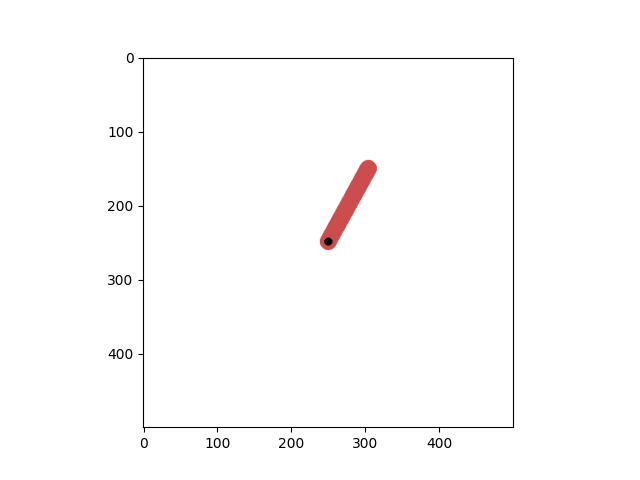
<matplotlib.image.AxesImage object at 0x7fd0118743a0>
让我们看看 tensordict 包含了什么:
data
TensorDict(
    fields={
        done: Tensor(shape=torch.Size([1]), device=cpu, dtype=torch.bool, is_shared=False),
        pixels: Tensor(shape=torch.Size([500, 500, 3]), device=cpu, dtype=torch.uint8, is_shared=False),
        terminated: Tensor(shape=torch.Size([1]), device=cpu, dtype=torch.bool, is_shared=False),
        truncated: Tensor(shape=torch.Size([1]), device=cpu, dtype=torch.bool, is_shared=False)},
    batch_size=torch.Size([]),
    device=None,
    is_shared=False)
我们仍然有一个 "state" 来描述 "observation" 在前一种情况中所描述的内容(命名差异来自于 gym 现在返回一个字典,如果存在的话,TorchRL 会从字典中获取名称,否则它将步骤输出命名为 "observation":简而言之,这是由于 gym 环境步骤方法返回的对象类型不一致造成的)。
也可以通过仅请求像素来丢弃这个辅助输出:
env = GymEnv("Pendulum-v1", from_pixels=True, pixels_only=True)
env.reset()
env.close()
有些环境仅以图像格式提供
env = GymEnv("ALE/Pong-v5")
print("from pixels: ", env.from_pixels)
print("data: ", env.reset())
env.close()
from pixels:  True
data:  TensorDict(
    fields={
        done: Tensor(shape=torch.Size([1]), device=cpu, dtype=torch.bool, is_shared=False),
        pixels: Tensor(shape=torch.Size([210, 160, 3]), device=cpu, dtype=torch.uint8, is_shared=False),
        terminated: Tensor(shape=torch.Size([1]), device=cpu, dtype=torch.bool, is_shared=False),
        truncated: Tensor(shape=torch.Size([1]), device=cpu, dtype=torch.bool, is_shared=False)},
    batch_size=torch.Size([]),
    device=None,
    is_shared=False)
DeepMind 控制环境
- To run this part of the tutorial, make sure you have installed dm_control:
$ pip install dm_control
我们还提供了一个DM Control套件的包装器。同样,构建环境也很简单:首先让我们看看可以访问哪些环境。
The available_envs 现在返回一个包含环境和可能任务的字典:
from matplotlib import pyplot as plt
from torchrl.envs.libs.dm_control import DMControlEnv

DMControlEnv.available_envs
[('acrobot', ['swingup', 'swingup_sparse']), ('ball_in_cup', ['catch']), ('cartpole', ['balance', 'balance_sparse', 'swingup', 'swingup_sparse', 'three_poles', 'two_poles']), ('cheetah', ['run']), ('finger', ['spin', 'turn_easy', 'turn_hard']), ('fish', ['upright', 'swim']), ('hopper', ['stand', 'hop']), ('humanoid', ['stand', 'walk', 'run', 'run_pure_state']), ('manipulator', ['bring_ball', 'bring_peg', 'insert_ball', 'insert_peg']), ('pendulum', ['swingup']), ('point_mass', ['easy', 'hard']), ('reacher', ['easy', 'hard']), ('swimmer', ['swimmer6', 'swimmer15']), ('walker', ['stand', 'walk', 'run']), ('dog', ['fetch', 'run', 'stand', 'trot', 'walk']), ('humanoid_CMU', ['run', 'stand', 'walk']), ('lqr', ['lqr_2_1', 'lqr_6_2']), ('quadruped', ['escape', 'fetch', 'run', 'walk']), ('stacker', ['stack_2', 'stack_4'])]
env = DMControlEnv("acrobot", "swingup")
data = env.reset()
print("result of reset: ", data)
env.close()
result of reset:  TensorDict(
    fields={
        done: Tensor(shape=torch.Size([1]), device=cpu, dtype=torch.bool, is_shared=False),
        orientations: Tensor(shape=torch.Size([4]), device=cpu, dtype=torch.float64, is_shared=False),
        terminated: Tensor(shape=torch.Size([1]), device=cpu, dtype=torch.bool, is_shared=False),
        truncated: Tensor(shape=torch.Size([1]), device=cpu, dtype=torch.bool, is_shared=False),
        velocity: Tensor(shape=torch.Size([2]), device=cpu, dtype=torch.float64, is_shared=False)},
    batch_size=torch.Size([]),
    device=None,
    is_shared=False)
当然,我们也可以使用基于像素的环境:
env = DMControlEnv("acrobot", "swingup", from_pixels=True, pixels_only=True)
data = env.reset()
print("result of reset: ", data)
plt.imshow(data.get("pixels").numpy())
env.close()
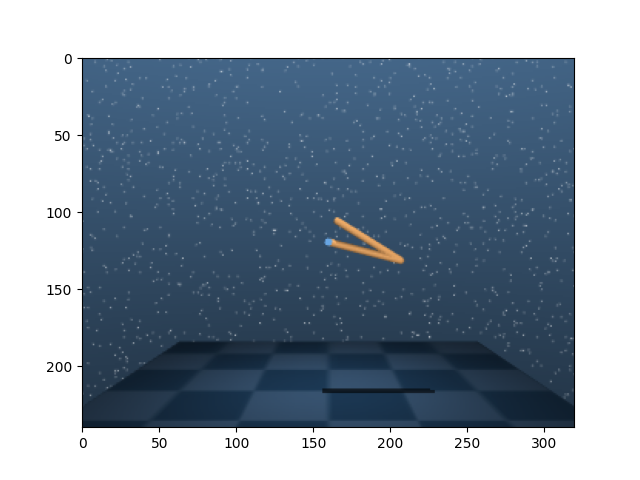
result of reset:  TensorDict(
    fields={
        done: Tensor(shape=torch.Size([1]), device=cpu, dtype=torch.bool, is_shared=False),
        pixels: Tensor(shape=torch.Size([240, 320, 3]), device=cpu, dtype=torch.uint8, is_shared=False),
        terminated: Tensor(shape=torch.Size([1]), device=cpu, dtype=torch.bool, is_shared=False),
        truncated: Tensor(shape=torch.Size([1]), device=cpu, dtype=torch.bool, is_shared=False)},
    batch_size=torch.Size([]),
    device=None,
    is_shared=False)
转换环境
在将环境输出交由策略读取或存入缓冲区之前,通常需要对其进行预处理。
- In many instances, the RL community has adopted a wrapping scheme of the type
$ env_transformed = wrapper1(wrapper2(env))
将环境进行转换。这有许多优点:它使得访问环境规格变得显而易见(外部包装器是外部世界的真实来源),并且它使得与向量化环境交互变得容易。然而,这也使得访问内部环境变得困难:假设一个人想要从链中移除一个包装器(例如 wrapper2),这个操作需要我们收集
$ env0 = env.env.env
$ env_transformed_bis = wrapper1(env0)
TorchRL 采用使用转换序列的立场,就像在其他 PyTorch 领域库中所做的那样(例如 torchvision)。这种方法也类似于 torch.distribution 中分布转换的方式,在那里围绕一个 base_dist 分布构建了一个 TransformedDistribution 对象和(一系列)transforms。
from torchrl.envs.transforms import ToTensorImage, TransformedEnv

# ToTensorImage transforms a numpy-like image into a tensor one,
env = DMControlEnv("acrobot", "swingup", from_pixels=True, pixels_only=True)
print("reset before transform: ", env.reset())

env = TransformedEnv(env, ToTensorImage())
print("reset after transform: ", env.reset())
env.close()
reset before transform:  TensorDict(
    fields={
        done: Tensor(shape=torch.Size([1]), device=cpu, dtype=torch.bool, is_shared=False),
        pixels: Tensor(shape=torch.Size([240, 320, 3]), device=cpu, dtype=torch.uint8, is_shared=False),
        terminated: Tensor(shape=torch.Size([1]), device=cpu, dtype=torch.bool, is_shared=False),
        truncated: Tensor(shape=torch.Size([1]), device=cpu, dtype=torch.bool, is_shared=False)},
    batch_size=torch.Size([]),
    device=None,
    is_shared=False)
reset after transform:  TensorDict(
    fields={
        done: Tensor(shape=torch.Size([1]), device=cpu, dtype=torch.bool, is_shared=False),
        pixels: Tensor(shape=torch.Size([3, 240, 320]), device=cpu, dtype=torch.float32, is_shared=False),
        terminated: Tensor(shape=torch.Size([1]), device=cpu, dtype=torch.bool, is_shared=False),
        truncated: Tensor(shape=torch.Size([1]), device=cpu, dtype=torch.bool, is_shared=False)},
    batch_size=torch.Size([]),
    device=None,
    is_shared=False)
要组合变换,只需使用Compose类:
from torchrl.envs.transforms import Compose, Resize

env = DMControlEnv("acrobot", "swingup", from_pixels=True, pixels_only=True)
env = TransformedEnv(env, Compose(ToTensorImage(), Resize(32, 32)))
env.reset()
TensorDict(
    fields={
        done: Tensor(shape=torch.Size([1]), device=cpu, dtype=torch.bool, is_shared=False),
        pixels: Tensor(shape=torch.Size([3, 32, 32]), device=cpu, dtype=torch.float32, is_shared=False),
        terminated: Tensor(shape=torch.Size([1]), device=cpu, dtype=torch.bool, is_shared=False),
        truncated: Tensor(shape=torch.Size([1]), device=cpu, dtype=torch.bool, is_shared=False)},
    batch_size=torch.Size([]),
    device=None,
    is_shared=False)
转换也可以逐个添加:
TensorDict(
    fields={
        done: Tensor(shape=torch.Size([1]), device=cpu, dtype=torch.bool, is_shared=False),
        pixels: Tensor(shape=torch.Size([1, 32, 32]), device=cpu, dtype=torch.float32, is_shared=False),
        terminated: Tensor(shape=torch.Size([1]), device=cpu, dtype=torch.bool, is_shared=False),
        truncated: Tensor(shape=torch.Size([1]), device=cpu, dtype=torch.bool, is_shared=False)},
    batch_size=torch.Size([]),
    device=None,
    is_shared=False)
如预期的那样,元数据也会被更新:
print("original obs spec: ", env.base_env.observation_spec)
print("current obs spec: ", env.observation_spec)
original obs spec:  Composite(
    pixels: UnboundedDiscrete(
        shape=torch.Size([240, 320, 3]),
        space=ContinuousBox(
            low=Tensor(shape=torch.Size([240, 320, 3]), device=cpu, dtype=torch.uint8, contiguous=True),
            high=Tensor(shape=torch.Size([240, 320, 3]), device=cpu, dtype=torch.uint8, contiguous=True)),
        device=cpu,
        dtype=torch.uint8,
        domain=discrete),
    device=None,
    shape=torch.Size([]))
current obs spec:  Composite(
    pixels: UnboundedContinuous(
        shape=torch.Size([1, 32, 32]),
        space=ContinuousBox(
            low=Tensor(shape=torch.Size([1, 32, 32]), device=cpu, dtype=torch.float32, contiguous=True),
            high=Tensor(shape=torch.Size([1, 32, 32]), device=cpu, dtype=torch.float32, contiguous=True)),
        device=cpu,
        dtype=torch.float32,
        domain=continuous),
    device=None,
    shape=torch.Size([]))
我们也可以根据需要拼接张量:
from torchrl.envs.transforms import CatTensors

env = DMControlEnv("acrobot", "swingup")
print("keys before concat: ", env.reset())

env = TransformedEnv(
    env,
    CatTensors(in_keys=["orientations", "velocity"], out_key="observation"),
)
print("keys after concat: ", env.reset())
keys before concat:  TensorDict(
    fields={
        done: Tensor(shape=torch.Size([1]), device=cpu, dtype=torch.bool, is_shared=False),
        orientations: Tensor(shape=torch.Size([4]), device=cpu, dtype=torch.float64, is_shared=False),
        terminated: Tensor(shape=torch.Size([1]), device=cpu, dtype=torch.bool, is_shared=False),
        truncated: Tensor(shape=torch.Size([1]), device=cpu, dtype=torch.bool, is_shared=False),
        velocity: Tensor(shape=torch.Size([2]), device=cpu, dtype=torch.float64, is_shared=False)},
    batch_size=torch.Size([]),
    device=None,
    is_shared=False)
keys after concat:  TensorDict(
    fields={
        done: Tensor(shape=torch.Size([1]), device=cpu, dtype=torch.bool, is_shared=False),
        observation: Tensor(shape=torch.Size([6]), device=cpu, dtype=torch.float64, is_shared=False),
        terminated: Tensor(shape=torch.Size([1]), device=cpu, dtype=torch.bool, is_shared=False),
        truncated: Tensor(shape=torch.Size([1]), device=cpu, dtype=torch.bool, is_shared=False)},
    batch_size=torch.Size([]),
    device=None,
    is_shared=False)
此功能使得修改应用于环境输入和输出的变换集变得简单。实际上,变换在执行步骤之前和之后都会运行:对于预步骤传递,in_keys_inv 列表中的键将传递给 _inv_apply_transform 方法。这种变换的一个例子是将浮点数动作(神经网络的输出)转换为双精度类型(封装环境所需)。在步骤执行后,_apply_transform 方法将在由 in_keys 列表指示的键上执行。
另一个有趣的环境转换功能是它们允许用户检索包裹情况下的等效env.env,换句话说就是父环境。可以通过调用transform.parent来检索父环境:返回的环境将包含所有转换,直到(但不包括)当前转换。例如,在NoopResetEnv情况下,当重置时会执行以下步骤:在执行一定数量的随机步骤之前重置父环境。
env = DMControlEnv("acrobot", "swingup")
env = TransformedEnv(env)
env.append_transform(
    CatTensors(in_keys=["orientations", "velocity"], out_key="observation")
)
env.append_transform(GrayScale())

print("env: \n", env)
print("GrayScale transform parent env: \n", env.transform[1].parent)
print("CatTensors transform parent env: \n", env.transform[0].parent)
env:
 TransformedEnv(
    env=DMControlEnv(env=acrobot, task=swingup, batch_size=torch.Size([])),
    transform=Compose(
            CatTensors(in_keys=['orientations', 'velocity'], out_key=observation),
            GrayScale(keys=['pixels'])))
GrayScale transform parent env:
 TransformedEnv(
    env=DMControlEnv(env=acrobot, task=swingup, batch_size=torch.Size([])),
    transform=Compose(
            CatTensors(in_keys=['orientations', 'velocity'], out_key=observation)))
CatTensors transform parent env:
 TransformedEnv(
    env=DMControlEnv(env=acrobot, task=swingup, batch_size=torch.Size([])),
    transform=Compose(
    ))
环境设备
转换可以在设备上运行,当操作具有中等或高度计算需求时,这可以带来显著的速度提升。这些包括
ToTensorImage, Resize, GrayScale 等。
人们完全可以合理地询问,这在被封装的环境层面意味着什么。对于常规环境而言,影响微乎其微:各项操作仍将发生在其本应发生的设备上。“torchrl”中环境的 device 属性指明了输入数据预期所在的设备,以及输出数据将生成于哪个设备。在该设备与其它设备之间进行数据类型转换,是 torchrl 环境类的责任。将数据存储在 GPU 上的主要优势有两点:(1)如前所述,可加速各类变换操作;(2)在多进程场景下,便于各工作进程间共享数据。
from torchrl.envs.transforms import CatTensors, GrayScale, TransformedEnv

env = DMControlEnv("acrobot", "swingup")
env = TransformedEnv(env)
env.append_transform(
    CatTensors(in_keys=["orientations", "velocity"], out_key="observation")
)

if torch.has_cuda and torch.cuda.device_count():
    env.to("cuda:0")
    env.reset()
并行运行环境
TorchRL 提供了并行运行环境的工具。通常要求各个环境读取和返回的张量具有相似的形状和数据类型(但若这些张量的形状不同,也可设计掩码函数来实现兼容)。创建此类环境非常简单。我们先来看最简单的情形:
from torchrl.envs import ParallelEnv


def env_make():
    return GymEnv("Pendulum-v1")


parallel_env = ParallelEnv(3, env_make)  # -> creates 3 envs in parallel
parallel_env = ParallelEnv(
    3, [env_make, env_make, env_make]
)  # similar to the previous command
The SerialEnv 类类似于 ParallelEnv,但不同之处在于环境是顺序运行的。这对于调试目的非常有用。
ParallelEnv 个实例以懒加载模式创建:环境仅在调用时才开始运行。这允许我们在进程之间移动 ParallelEnv 个对象,而无需过多担心运行进程。可以通过调用 ParallelEnv、start 或者简单地调用 reset(如果不需要先调用 step)来启动一个 reset。
parallel_env.reset()
TensorDict(
    fields={
        done: Tensor(shape=torch.Size([3, 1]), device=cpu, dtype=torch.bool, is_shared=False),
        observation: Tensor(shape=torch.Size([3, 3]), device=cpu, dtype=torch.float32, is_shared=False),
        terminated: Tensor(shape=torch.Size([3, 1]), device=cpu, dtype=torch.bool, is_shared=False),
        truncated: Tensor(shape=torch.Size([3, 1]), device=cpu, dtype=torch.bool, is_shared=False)},
    batch_size=torch.Size([3]),
    device=None,
    is_shared=False)
可以检查并行环境是否具有正确的批量大小。
通常,batch_size 的第一部分表示批量,
第二部分表示时间帧。让我们使用 rollout 方法进行检查:
parallel_env.rollout(max_steps=20)
TensorDict(
    fields={
        action: Tensor(shape=torch.Size([3, 20, 1]), device=cpu, dtype=torch.float32, is_shared=False),
        done: Tensor(shape=torch.Size([3, 20, 1]), device=cpu, dtype=torch.bool, is_shared=False),
        next: TensorDict(
            fields={
                done: Tensor(shape=torch.Size([3, 20, 1]), device=cpu, dtype=torch.bool, is_shared=False),
                observation: Tensor(shape=torch.Size([3, 20, 3]), device=cpu, dtype=torch.float32, is_shared=False),
                reward: Tensor(shape=torch.Size([3, 20, 1]), device=cpu, dtype=torch.float32, is_shared=False),
                terminated: Tensor(shape=torch.Size([3, 20, 1]), device=cpu, dtype=torch.bool, is_shared=False),
                truncated: Tensor(shape=torch.Size([3, 20, 1]), device=cpu, dtype=torch.bool, is_shared=False)},
            batch_size=torch.Size([3, 20]),
            device=None,
            is_shared=False),
        observation: Tensor(shape=torch.Size([3, 20, 3]), device=cpu, dtype=torch.float32, is_shared=False),
        terminated: Tensor(shape=torch.Size([3, 20, 1]), device=cpu, dtype=torch.bool, is_shared=False),
        truncated: Tensor(shape=torch.Size([3, 20, 1]), device=cpu, dtype=torch.bool, is_shared=False)},
    batch_size=torch.Size([3, 20]),
    device=None,
    is_shared=False)
关闭并行环境
重要: 在关闭程序之前,重要的是要关闭并行环境。一般来说,即使在常规环境中,最好在函数末尾调用close。在某些情况下,如果不这样做,TorchRL会抛出错误(通常是在程序结束时,当环境超出作用域时!)
parallel_env.close()
随机数种子
在为并行环境设置种子时,我们面临的问题是我们不想为所有环境提供相同的种子。TorchRL 使用的启发式方法是,根据输入种子生成一个确定性的种子链,以一种可以说成马尔可夫的方式,使得可以从其任何元素重建该链。所有 set_seed 方法都将返回下一个要使用的种子,以便可以根据最后一个种子轻松地继续该链。这在多个收集器都包含一个 ParallelEnv 实例并且我们希望每个子子环境具有不同的种子时非常有用。
out_seed = parallel_env.set_seed(10)
print(out_seed)

del parallel_env
3288080526
访问环境属性
有时,被封装的环境会具有某个值得关注的属性。首先请注意,TorchRL 环境封装器提供了访问该属性的工具。以下是一个示例:
from time import sleep
from uuid import uuid1


def env_make():
    env = GymEnv("Pendulum-v1")
    env._env.foo = f"bar_{uuid1()}"
    env._env.get_something = lambda r: r + 1
    return env


env = env_make()
# Goes through env._env
env.foo
'bar_bd7cd616-bece-11ef-b619-0242ac110002'
parallel_env = ParallelEnv(3, env_make)  # -> creates 3 envs in parallel

# env has not been started --> error:
try:
    parallel_env.foo
except RuntimeError:
    print("Aargh what did I do!")
    sleep(2)  # make sure we don't get ahead of ourselves
Aargh what did I do!
if parallel_env.is_closed:
    parallel_env.start()
foo_list = parallel_env.foo
foo_list  # needs to be instantiated, for instance using list
<torchrl.envs.batched_envs._dispatch_caller_parallel object at 0x7fd010f2e2f0>
list(foo_list)
['bar_c24373ee-bece-11ef-a45f-0242ac110002', 'bar_c246e600-bece-11ef-8a72-0242ac110002', 'bar_c245b17c-bece-11ef-9b72-0242ac110002']
同样地,也可以访问方法:
something = parallel_env.get_something(0)
print(something)
[1, 1, 1]
parallel_env.close()
del parallel_env
并行环境的kwargs
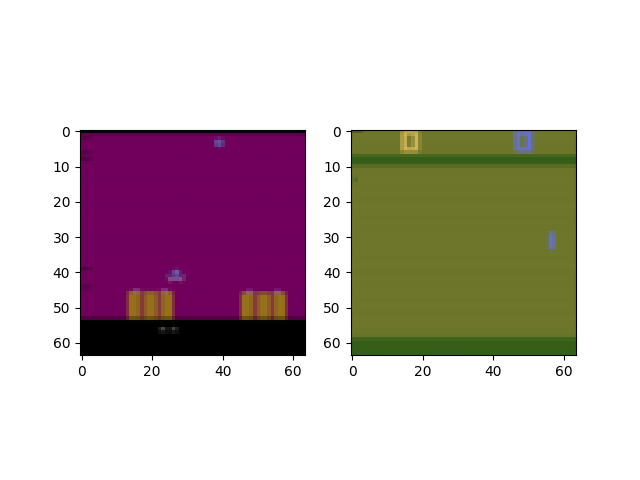
用户可能希望向各种环境提供关键字参数(kwargs)。这既可以在构造时完成,也可以在之后进行:
from torchrl.envs import ParallelEnv


def env_make(env_name):
    env = TransformedEnv(
        GymEnv(env_name, from_pixels=True, pixels_only=True),
        Compose(ToTensorImage(), Resize(64, 64)),
    )
    return env


parallel_env = ParallelEnv(
    2,
    [env_make, env_make],
    create_env_kwargs=[{"env_name": "ALE/AirRaid-v5"}, {"env_name": "ALE/Pong-v5"}],
)
data = parallel_env.reset()

plt.figure()
plt.subplot(121)
plt.imshow(data[0].get("pixels").permute(1, 2, 0).numpy())
plt.subplot(122)
plt.imshow(data[1].get("pixels").permute(1, 2, 0).numpy())
parallel_env.close()
del parallel_env

from matplotlib import pyplot as plt
将并行环境转换为
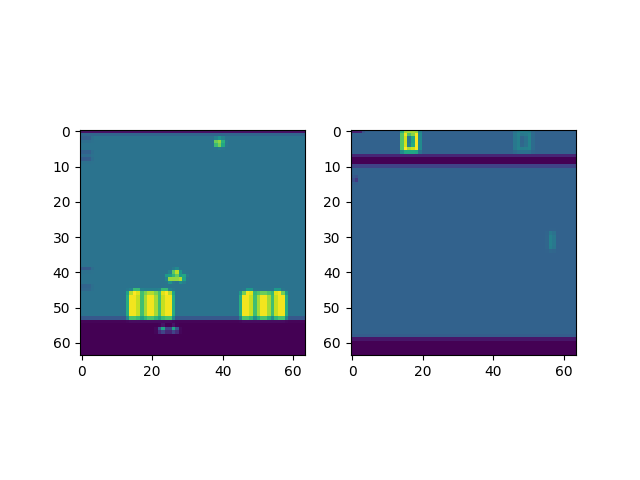
并行环境的转换有两种等效方式:在每个进程中分别进行,或在主进程中统一进行。甚至可以同时采用这两种方式。 因此,可以仔细思考变换的设计,以充分利用设备能力(例如,在 CUDA 设备上执行变换),并在可能的情况下于主进程中对操作进行向量化处理。
from torchrl.envs import (
    Compose,
    GrayScale,
    ParallelEnv,
    Resize,
    ToTensorImage,
    TransformedEnv,
)


def env_make(env_name):
    env = TransformedEnv(
        GymEnv(env_name, from_pixels=True, pixels_only=True),
        Compose(ToTensorImage(), Resize(64, 64)),
    )  # transforms on remote processes
    return env


parallel_env = ParallelEnv(
    2,
    [env_make, env_make],
    create_env_kwargs=[{"env_name": "ALE/AirRaid-v5"}, {"env_name": "ALE/Pong-v5"}],
)
parallel_env = TransformedEnv(parallel_env, GrayScale())  # transforms on main process
data = parallel_env.reset()

print("grayscale data: ", data)
plt.figure()
plt.subplot(121)
plt.imshow(data[0].get("pixels").permute(1, 2, 0).numpy())
plt.subplot(122)
plt.imshow(data[1].get("pixels").permute(1, 2, 0).numpy())
parallel_env.close()
del parallel_env
grayscale data:  TensorDict(
    fields={
        done: Tensor(shape=torch.Size([2, 1]), device=cpu, dtype=torch.bool, is_shared=False),
        pixels: Tensor(shape=torch.Size([2, 1, 64, 64]), device=cpu, dtype=torch.float32, is_shared=False),
        terminated: Tensor(shape=torch.Size([2, 1]), device=cpu, dtype=torch.bool, is_shared=False),
        truncated: Tensor(shape=torch.Size([2, 1]), device=cpu, dtype=torch.bool, is_shared=False)},
    batch_size=torch.Size([2]),
    device=None,
    is_shared=False)
VecNorm
在强化学习(RL)中,我们通常面临在将数据输入模型之前对其进行归一化的难题。有时,我们可以借助环境中采集的数据(例如,通过随机策略或专家示范所收集的数据)对归一化统计量进行良好近似。然而,在某些情况下,更合适的做法是“在线”归一化数据,即逐步更新归一化常数,使其反映截至目前所观测到的数据分布。当任务性能发生变化、导致归一化统计量随之改变,或环境因外部因素而持续演化时,这种在线归一化方法尤为有用。
注意: 此功能应谨慎使用,尤其是在离策略学习中,因为旧数据将因之前有效的归一化统计而“过时”。在策略学习环境中也是如此,此功能会使学习不稳定,并可能产生意外效果。因此建议用户谨慎使用此功能,并将其与固定版本的归一化常数进行比较。
在常规设置中,使用 VecNorm 非常简单:
from torchrl.envs.libs.gym import GymEnv
from torchrl.envs.transforms import TransformedEnv, VecNorm

env = TransformedEnv(GymEnv("Pendulum-v1"), VecNorm())
data = env.rollout(max_steps=100)

print("mean: :", data.get("observation").mean(0))  # Approx 0
print("std: :", data.get("observation").std(0))  # Approx 1
mean: : tensor([-0.3473, -0.0822, -0.1379])
std: : tensor([1.0996, 1.2535, 1.2265])
在 并行环境 中,事情稍微复杂一些,因为我们需要在进程之间共享运行统计信息。我们创建了一个类
EnvCreator,负责查看环境创建方法,检索 tensordicts 以在环境类中进程之间共享,并在创建后将每个进程指向正确的公共共享数据:
from torchrl.envs import EnvCreator, ParallelEnv
from torchrl.envs.libs.gym import GymEnv
from torchrl.envs.transforms import TransformedEnv, VecNorm

make_env = EnvCreator(lambda: TransformedEnv(GymEnv("CartPole-v1"), VecNorm(decay=1.0)))
env = ParallelEnv(3, make_env)
print("env state dict:")
sd = TensorDict(make_env.state_dict())
print(sd)
# Zeroes all tensors
sd *= 0

data = env.rollout(max_steps=5)

print("data: ", data)
print("mean: :", data.get("observation").view(-1, 3).mean(0))  # Approx 0
print("std: :", data.get("observation").view(-1, 3).std(0))  # Approx 1
env state dict:
TensorDict(
    fields={
        _extra_state: TensorDict(
            fields={
                observation_count: Tensor(shape=torch.Size([1]), device=cpu, dtype=torch.float32, is_shared=False),
                observation_ssq: Tensor(shape=torch.Size([4]), device=cpu, dtype=torch.float32, is_shared=False),
                observation_sum: Tensor(shape=torch.Size([4]), device=cpu, dtype=torch.float32, is_shared=False),
                reward_count: Tensor(shape=torch.Size([1]), device=cpu, dtype=torch.float32, is_shared=False),
                reward_ssq: Tensor(shape=torch.Size([1]), device=cpu, dtype=torch.float32, is_shared=False),
                reward_sum: Tensor(shape=torch.Size([1]), device=cpu, dtype=torch.float32, is_shared=False)},
            batch_size=torch.Size([]),
            device=None,
            is_shared=False)},
    batch_size=torch.Size([]),
    device=None,
    is_shared=False)
data:  TensorDict(
    fields={
        action: Tensor(shape=torch.Size([3, 5, 2]), device=cpu, dtype=torch.int64, is_shared=False),
        done: Tensor(shape=torch.Size([3, 5, 1]), device=cpu, dtype=torch.bool, is_shared=False),
        next: TensorDict(
            fields={
                done: Tensor(shape=torch.Size([3, 5, 1]), device=cpu, dtype=torch.bool, is_shared=False),
                observation: Tensor(shape=torch.Size([3, 5, 4]), device=cpu, dtype=torch.float32, is_shared=False),
                reward: Tensor(shape=torch.Size([3, 5, 1]), device=cpu, dtype=torch.float32, is_shared=False),
                terminated: Tensor(shape=torch.Size([3, 5, 1]), device=cpu, dtype=torch.bool, is_shared=False),
                truncated: Tensor(shape=torch.Size([3, 5, 1]), device=cpu, dtype=torch.bool, is_shared=False)},
            batch_size=torch.Size([3, 5]),
            device=None,
            is_shared=False),
        observation: Tensor(shape=torch.Size([3, 5, 4]), device=cpu, dtype=torch.float32, is_shared=False),
        terminated: Tensor(shape=torch.Size([3, 5, 1]), device=cpu, dtype=torch.bool, is_shared=False),
        truncated: Tensor(shape=torch.Size([3, 5, 1]), device=cpu, dtype=torch.bool, is_shared=False)},
    batch_size=torch.Size([3, 5]),
    device=None,
    is_shared=False)
mean: : tensor([-0.2283,  0.1333,  0.0510])
std: : tensor([1.1642, 1.1120, 1.0838])
计数略高于步数(因为我们没有使用任何衰减)。两者之间的差异是由于ParallelEnv创建了一个虚拟环境来初始化共享的TensorDict,该共享用于从分配的环境中收集数据。这种微小的差异通常会在训练过程中被吸收。
print(
    "update counts: ",
    make_env.state_dict()["_extra_state"]["observation_count"],
)

env.close()
del env
update counts: tensor([18.])
脚本总运行时间: (3 分钟 45.424 秒)
估计内存使用量: 317 MB